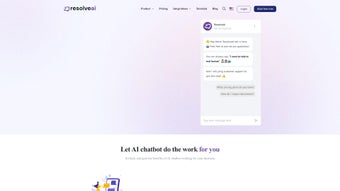

Download ResolveAIv2.0 – Customizable AI Chatbot for Web Applications
Overview & Key Features
ResolveAIv2.0 is a cloud‑native, subscription‑based platform that lets businesses, developers, and hobbyists create fully personalized AI chatbots without writing a single line of code. The service focuses on flexibility: you can upload your own data sources, shape the bot’s personality, and align every response with your brand voice. Whether you need a 24/7 customer‑service assistant, an interactive guide for a SaaS product, or a playful conversational agent for a marketing campaign, ResolveAIv2.0 delivers a secure, scalable environment that grows with traffic spikes and continuously evolves through automatic updates.
The intuitive drag‑and‑drop dashboard makes chatbot creation feel like assembling building blocks, while power users can tap into RESTful APIs and webhooks for deeper integration. Because the platform runs on a SaaS model, you receive regular feature releases, priority support, and a roadmap that reflects real‑world usage patterns. In short, ResolveAIv2.0 blends the ease of a no‑code builder with the robustness of an enterprise‑grade AI engine, making it a compelling choice for anyone looking to embed intelligent conversation into a web experience.
- Drag‑and‑Drop Builder: Visually design conversation flows, set intents, and map responses without coding.
- Custom Data Imports: Upload CSV, JSON, or connect to external databases so the bot learns from your unique content.
- Multi‑Channel Deployment: Embed on websites, progressive web apps, or connect to messaging platforms via webhooks.
- Real‑Time Tuning: Adjust answers on the fly based on live interaction analytics.
- Brand‑Consistent Styling: Customize colors, avatars, and UI elements to match corporate guidelines.
- Analytics Dashboard: Track sentiment, conversation length, and drop‑off points for continuous improvement.
- Secure Cloud Hosting: End‑to‑end encryption, GDPR‑compliant data handling, and role‑based access control.
- Monthly Subscription Updates: New AI model refinements, UI widgets, and dedicated support tickets.
- Extensible API Layer: Connect third‑party CRMs, ticketing systems, or custom back‑ends for context‑aware replies.
- Multilingual Support: Built‑in language detection and translation for global audiences.
These features work together to create a chatbot that not only answers questions but also learns from each interaction, adapting its tone and knowledge base as your business evolves. The modular architecture means you can start with a simple FAQ bot and gradually unlock advanced capabilities—such as sentiment‑aware routing or proactive outreach—without migrating to a new system. For developers, the API offers sandbox environments and webhook callbacks, enabling deep customization while still benefiting from the platform’s managed infrastructure. For marketers, the visual builder and analytics provide quick insights into conversational performance, turning raw chat logs into actionable data. Overall, ResolveAIv2.0 positions itself as a one‑stop solution that bridges the gap between no‑code simplicity and enterprise‑grade flexibility.
Installation & Usage Instructions
Getting Started – Account Creation & Subscription
Visit the official ResolveAIv2.0 website and click the “Start Free Trial” button. After providing a valid email address, you’ll receive a verification link. Complete the verification, then select a subscription tier that matches your expected usage (Starter, Professional, or Enterprise). All tiers include a 14‑day trial with full feature access, allowing you to explore the platform risk‑free.
Step‑by‑Step Bot Creation
- Log in to the Dashboard: After signing in, you land on the “My Bots” overview page.
- Create a New Bot: Click “Add Bot,” give it a name, and choose a template (e.g., Customer Support, Sales Lead, Knowledge Base).
- Upload Your Data: Use the “Data Import” tab to upload CSV files, connect to a REST API, or sync with Google Sheets. ResolveAIv2.0 automatically parses the data and suggests intents.
- Design Conversation Flow: Drag conversation nodes onto the canvas. Define user inputs, set response text, and attach conditional logic (e.g., “If user mentions ‘price’, show pricing table”).
- Style the UI: Navigate to “Appearance” to adjust colors, upload a custom avatar, and select font families that align with your brand guidelines.
- Test in Real Time: Use the built‑in simulator to type queries and watch the bot respond. Adjust phrasing or add fallback intents as needed.
- Deploy: Click “Publish,” then copy the generated JavaScript snippet. Paste the snippet into the
orof any web page where you want the chatbot to appear. - Monitor & Optimize: After deployment, head to the “Analytics” tab. Review metrics such as “Sessions per Day,” “Average Response Time,” and “User Satisfaction Score.” Use these insights to fine‑tune the bot’s responses.
Ongoing Management
Because ResolveAIv2.0 operates on a subscription model, you receive continuous updates automatically. New AI models, UI widgets, and security patches are pushed to your account without any manual download. For larger teams, you can assign roles (Admin, Editor, Analyst) to control who can edit the bot versus who can only view analytics. The platform also supports versioning: each time you publish changes, a new version is saved, allowing you to roll back to a previous state if needed. If you encounter any roadblocks, the built‑in “Help Center” provides step‑by‑step guides, video tutorials, and a live chat with support engineers.
Compatibility, Pros & Cons, and Frequently Asked Questions
ResolveAIv2.0 is a cloud‑native SaaS solution that runs in any modern web browser on Windows, macOS, Linux, Chrome OS, Android, and iOS devices. No local installation is required; you simply need an internet connection and a supported browser (Chrome, Firefox, Safari, or Edge). The platform also offers a lightweight mobile SDK for embedding the chatbot into native mobile apps if you prefer deeper integration.
Pros
- Intuitive drag‑and‑drop builder reduces time‑to‑launch.
- Custom data import lets the bot reflect your unique knowledge base.
- Secure, GDPR‑compliant hosting with end‑to‑end encryption.
- Real‑time analytics empower data‑driven improvements.
- Scalable cloud infrastructure handles traffic spikes without extra configuration.
- Extensible API and webhook support for advanced use‑cases.
- Multi‑language detection and translation out of the box.
- Regular subscription updates keep the AI model current.
Cons
- Subscription pricing may be a barrier for very small startups.
- Advanced AI tuning (e.g., custom model training) is limited to higher‑tier plans.
- Reliance on internet connectivity—offline usage isn’t supported.
- Learning curve for complex conditional logic can be steep for non‑technical users.
Frequently Asked Questions
Can I integrate ResolveAIv2.0 with my existing CRM?
Yes. ResolveAIv2.0 provides RESTful APIs and webhook endpoints that can push conversation data to popular CRMs such as Salesforce, HubSpot, and Zoho. You can map user intents to lead creation, ticket generation, or contact updates directly from the dashboard.
Is there a free tier or trial period?
A 14‑day free trial is available for all subscription plans, giving you full access to every feature. After the trial, you can choose a paid tier or cancel without charge. There is no permanent free tier.
How does ResolveAIv2.0 ensure data privacy?
All data is encrypted in transit (TLS 1.3) and at rest (AES‑256). The platform complies with GDPR, CCPA, and ISO‑27001 standards. You can also enable IP whitelisting and role‑based access to restrict who can view or edit your bot’s knowledge base.
Can I customize the bot’s language model?
Custom model training is available on the Enterprise plan. For most users, the built‑in fine‑tuning tools (intent mapping, response overrides, and data imports) provide sufficient control over the bot’s behavior without needing a separate model.
What support options are included with the subscription?
All paid tiers receive email support with a 24‑hour response SLA. Professional and Enterprise customers also get live chat assistance, priority ticket handling, and quarterly strategy sessions with a dedicated success manager.
Conclusion & Call to Action
ResolveAIv2.0 stands out as a robust, user‑friendly platform that bridges the gap between simple FAQ bots and fully custom AI assistants. Its blend of drag‑and‑drop design, data‑driven personalization, and secure cloud hosting makes it an attractive option for businesses of all sizes seeking to improve customer engagement, reduce support costs, and showcase a modern brand voice. While the subscription model may require budgeting considerations, the continuous updates, analytics insights, and scalability justify the investment for most growth‑oriented organizations.
If you’re ready to transform static web pages into dynamic conversation hubs, download ResolveAIv2.0 today and start your free trial. Experience how a tailor‑made chatbot can boost conversions, answer questions instantly, and keep your audience coming back for more.



.png)



